
Daily County Intelligence
Get support
Open a support case from the portal and track it.
Last updated October 8, 2026
Plan: Daily County Intelligence · For: Businesses · Time: 2 min read
Open a support case for help with your account, data, market coverage, billing, or using the product.
Open a case
- In the sidebar, under Help, select Support.
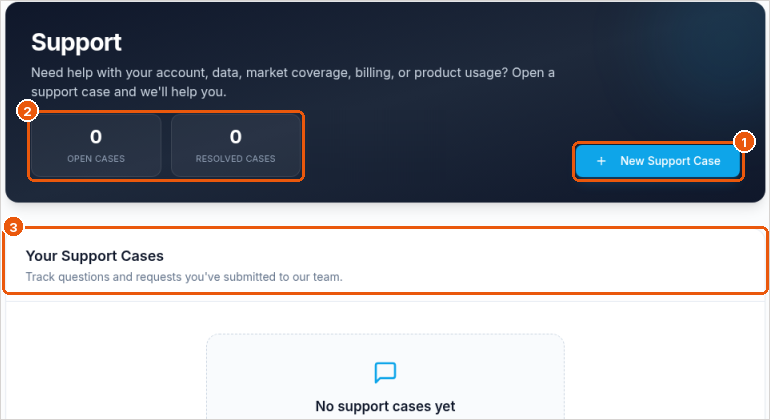
- Select New Support Case (callout 1).
- Describe the problem. Include the person's name and county, or the time of the API call, if it's about a specific notice or pull.
- Submit the case. We reply by email.
Track your cases
- Open and Resolved counts are at the top (callout 2).
- Your Support Cases lists every case you've opened (callout 3).
You can also email support@obituarymonitor.com.
Related
Was this article helpful?