
Daily National Intelligence
Get started with Daily National Intelligence
Nationwide death notices with family members included. How it differs from Daily County Intelligence, and a portal tour.
Last updated October 8, 2026
Plan: Daily National Intelligence · For: Businesses · Time: 4 min read
Daily National Intelligence gives you new death notices from across the United States. Family members named in each obituary are included as standard.
How it differs from Daily County Intelligence
| Daily National Intelligence | Daily County Intelligence | |
|---|---|---|
| Coverage | Every US state, already on | The state and counties you choose |
| County enrollment | Not needed | You pick counties on Markets & Delivery |
| How you narrow it | A watch list of preferred states or counties, and Notices by state | Your enrolled counties |
| Family members | Included | Included |
| Pricing | Talk to sales | $249/mo per state, with a 5-day free trial you start online |
How your account is set up
There's no self-serve signup. Our team creates your account and sends you a sign-in link by email. To try it first, request a trial. Trials last 5 days.
Sign in
- Open the sign-in link in the email from ObituaryMonitor, or go to obituarymonitor.com and select Sign in.
- You land on Overview.
The sidebar
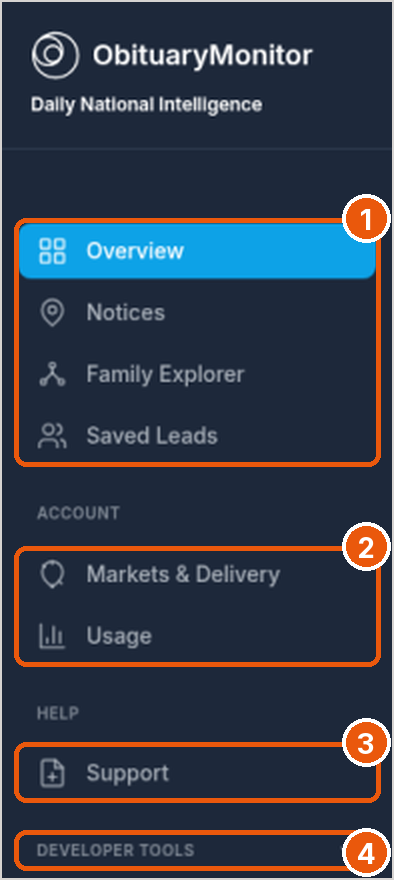
- Overview, Notices, Family Explorer, and Saved Leads are where you work new notices (callout 1).
- Account: Markets & Delivery (watch list and delivery) and Usage (callout 2).
- Help: Support (callout 3).
- Developer tools: Integrations, Async Family Extraction, API Keys, the API Guide, and the API Reference (callout 4).
The Overview page
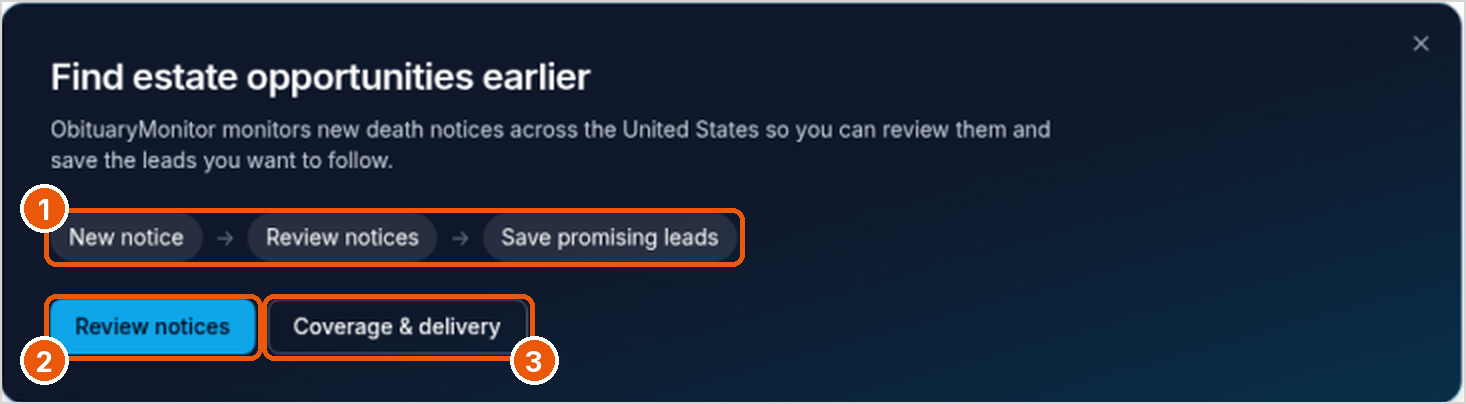
- The workflow strip shows how it works (callout 1).
- Review notices opens your notices (callout 2). Coverage & delivery opens Markets & Delivery (callout 3).
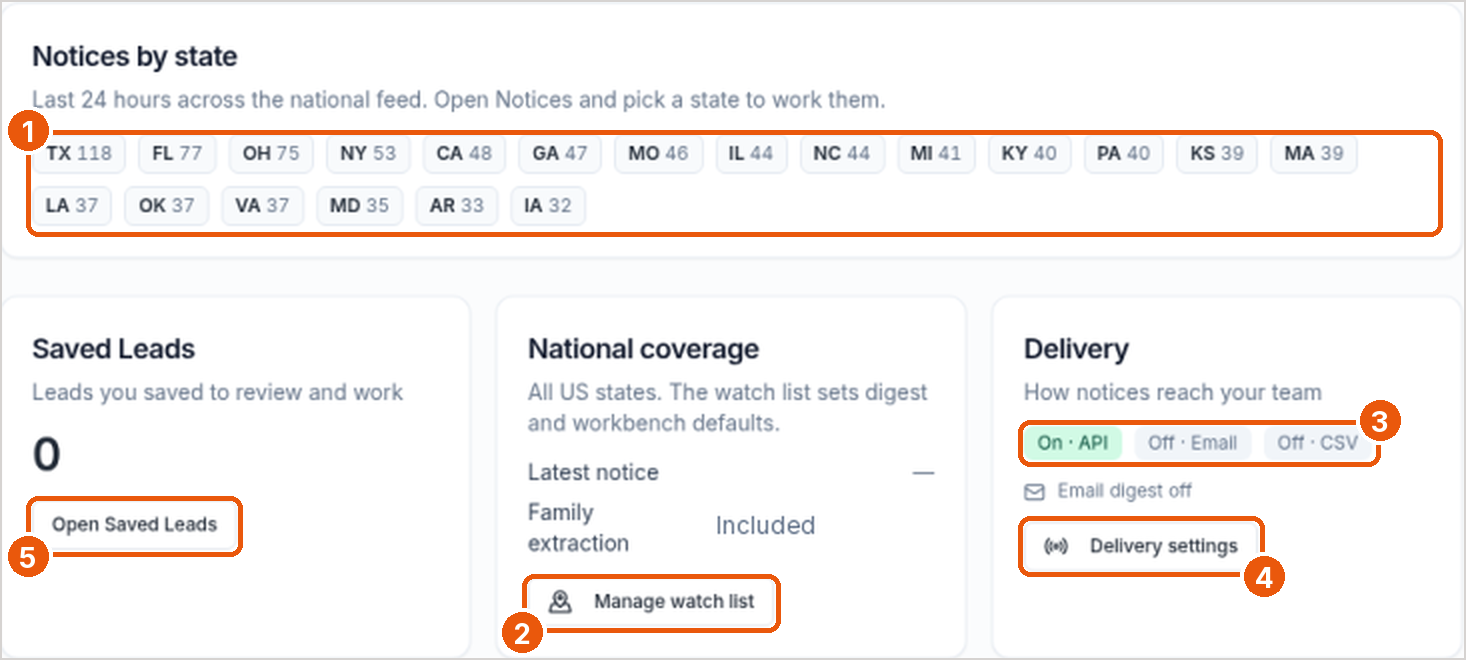
- Notices by state shows the last 24 hours of notices for each state (callout 1). Open Notices and pick a state to work them.
- National coverage confirms all US states are on. Select Manage watch list to set your preferred states or counties (callout 2).
- Delivery shows which methods are on: API, email, and CSV (callout 3). Select Delivery settings to change them (callout 4).
- Saved Leads shows how many leads you've saved. Select Open Saved Leads (callout 5).
Good to know
- Notices come from published obituaries and public web sources. They aren't a government death registry.
- Some portal pages may still use the name "Daily County Intelligence Feed".
Related
Was this article helpful?