
Reports
Create a PDF audit report
Download a PDF record of a match, with the source, a page capture, and a report ID.
Last updated October 8, 2026
Plan: Professional · For: Everyone, especially firms · Time: 2 min, plus 1–2 minutes to build
A PDF audit report is a dated record of a match. It's useful for an estate file or a court filing.
What's in the report
- The person you were watching, and the match date
- The source URL and the text we matched
- A capture of the obituary page, when one could be taken
- The confidence score
- A report ID (it starts with OM-) and the time we found the page
- Your firm's name and logo, if you've set up branding on a Professional plan
Create a report
- Open the match from Confirmed Matches or Matches to Review.
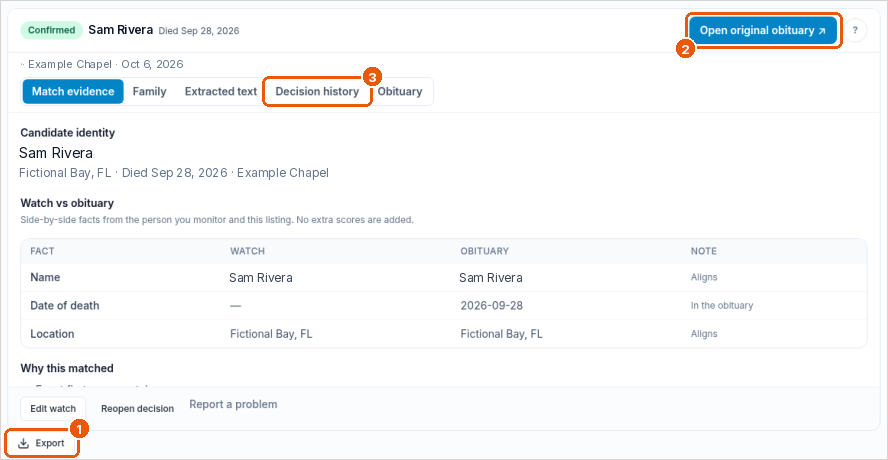
- Select Export this record.
- Wait about 1–2 minutes while we build the report and capture the page.
- Open Export history, or Exported Audit Logs in the sidebar, and download the PDF.
If Export history shows an upgrade message, contact support.
Other exports
- Export (callout 1) also offers a CSV file of your matches, with the status, score, name, location, dates, and source link.
- On Professional plans, Bulk Import/Export downloads your watches as a CSV. See Bulk import and export watches.
Related
- Negative Search Certificates
- Case audit reports (Professional plans)
Was this article helpful?