
Professional
Add your firm's branding to reports
Put your firm name and logo on PDF reports.
Last updated October 8, 2026
Plan: Professional · For: Firms · Time: 2 min
Your firm's name and logo can appear on the PDF audit reports, case audit reports, and certificates you create.
- In the sidebar, select Branding.
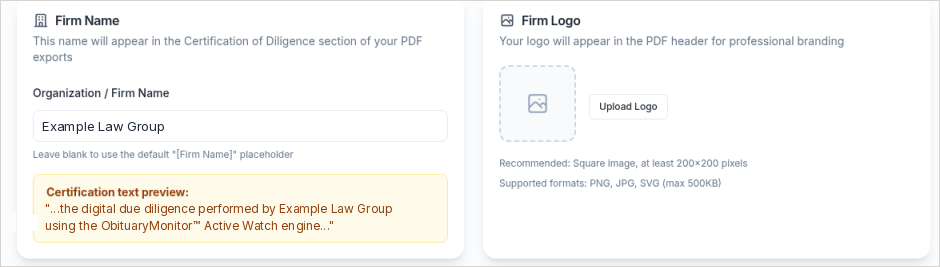
- Under Firm Name, enter your Organization / Firm Name. It appears in the Certification of Diligence section of your PDFs.
- Under Firm Logo, select Upload Logo and choose an image: PNG, JPG, or SVG, up to 500 KB. A square image at least 200×200 pixels works best.
- After you add a logo, choose a Logo Size (Small, Medium, or Large) and a Logo Position (Left, Center, or Right). The PDF Header Preview shows how it will look.
- Select Save Branding. New PDFs will use your branding.
Related
Was this article helpful?